

There's good news: on LinkedIn, companies can now receive messages and send replies! 🥳
Thanks to this new feature on the world's largest professional network, users can now contact companies directly via their company page. This was not possible before.
This new function enables interaction on a more personal level. Users with questions about offerings or career opportunities can now easily and directly contact the respective company. 👇

Message button in the company account of onlineKarma
What are the Benefits of Direct Communication on LinkedIn?
💪 Strengthen Customer Relationships: The ability to respond directly to customer inquiries builds trust and strengthens customer relationships.
🚀 Efficient Customer Service: Prompt and straightforward responses to inquiries significantly improve the customer experience.
⏱️Quick Responses for Applicants and Interested Parties: Questions from potential employees and those interested in products can be answered promptly and efficiently.
Here's how it works:
As soon as someone wants to contact a company, they can do so via the new 'Message' button, and just like that, contact is established directly. 💫
To do this, the person must first select a topic, and then a message can be written, which must be between 25 and 750 characters long:
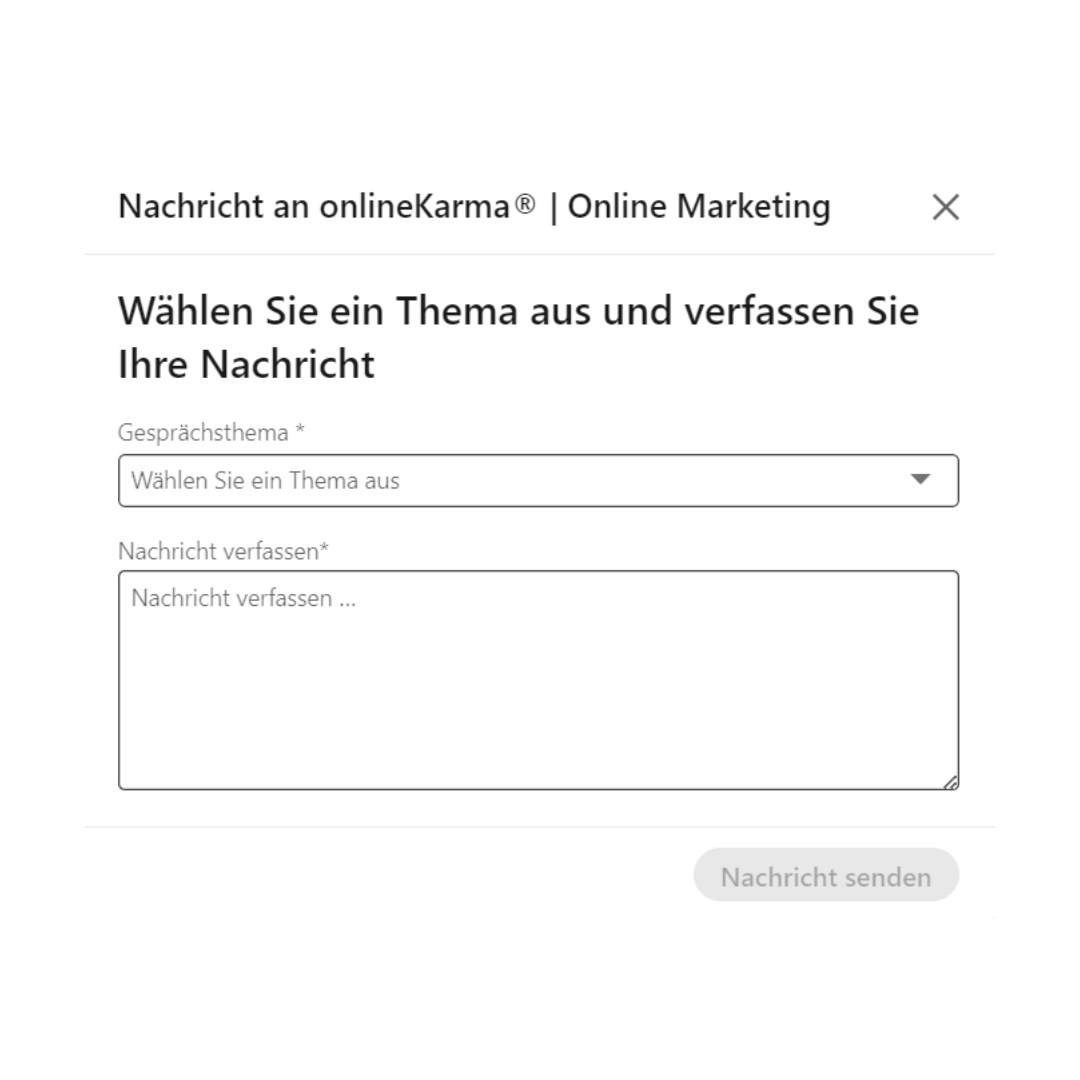
The new messaging feature should be activated by default on all company pages. Similarly, all categories are active, meaning you will need to deactivate them if you do not wish to use them.
Once the feature is active, you can choose topics that are relevant to your company and your target audience. You must select at least 2 of these:

The message can then be answered by Super Admins or Content Admins, but be aware: you are not replying as an individual; you are always acting on behalf of the company page!
Once you have the role of 'Super Admin' or 'Content Admin,' you will have access to this feature. Other participants cannot reply to the page's messages.
If you wish to temporarily deactivate the messaging feature or restrict the topics, you can do so in the Inbox. To do this, click on the 3 dots in the Inbox, select 'Inbox Settings,' and deactivate the 'Message Button'.
What does LinkedIn recommend for Best Practices?
Clarify Role Distribution: Ensure that a qualified professional is assigned as a Super or Content Admin. This ensures that inquiries can be answered expertly and specifically.
Speed Matters: It is important to respond to messages promptly. The faster the response time, the better.
Topic Selection: Choose topics that reflect both your company and the interests of your target audience.
Topic Precision: To ensure accuracy, you can edit the conversation topic of a message so that it accurately describes the message. You can then also filter by topics.
P.S.: As a company, you can only send a message if a member first sends a message to your page.
Do you need support with Community Management or LinkedIn Marketing? We help you take your online presence to the next level. 😍🚀