Here’s some good news: On LinkedIn, company pages can receive messages and reply on behalf of the company. 🥳
Through the messaging feature of the largest professional network, members can contact companies directly. This makes it easier to discuss offers, services, or career opportunities.
This feature provides a more personal and accessible way to get in touch—provided that responsibilities and response times have been clearly defined within the company.
Note on the status: This post was published on December 12, 2023, and was last updated in February 2025. The messaging feature is still available. According to LinkedIn, Super Admins and Content Admins can manage messages; for eligible pages, the feature may be enabled by default. The user interface and availability are subject to change.
What are the benefits of direct communication on LinkedIn?
- 💪 Strengthen customer relationships: Direct, helpful responses can build trust and deepen your relationship with customers.
- 🚀 Simplify customer service: Questions can be received and answered directly on LinkedIn without switching platforms.
- ⏱️ Reach applicants and interested parties faster: Questions about jobs, products, or services can be directed to the right specialist in a timely manner.
How LinkedIn Messaging Works for Company Pages
- Enable notifications: Open the admin view of your LinkedIn page and go to the Inbox.
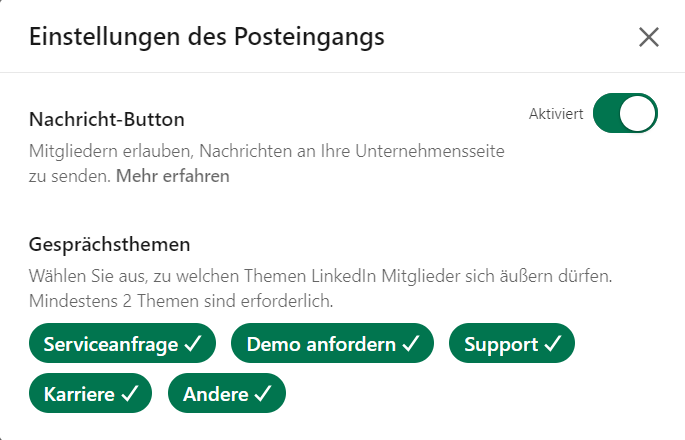
- Turn on the message button: Select the inbox settings and enable the message button.
- Set discussion topics: Choose at least two topics that members can post about on your page.
- Clarify Roles: Super admins and content admins can read messages and reply on behalf of the company page.
- Restrict this feature if necessary: Topics can be customized; the message button can be disabled again in the inbox settings.
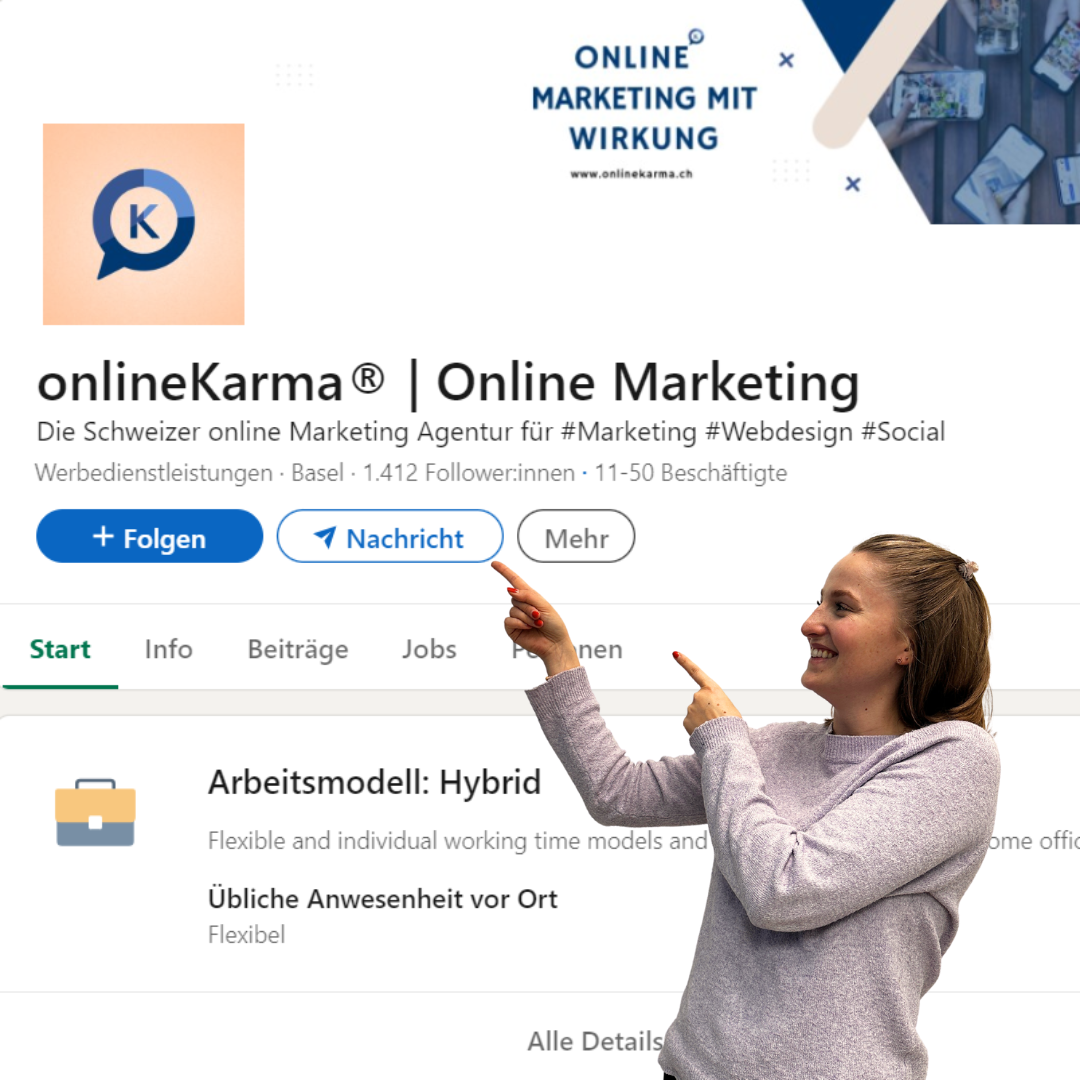
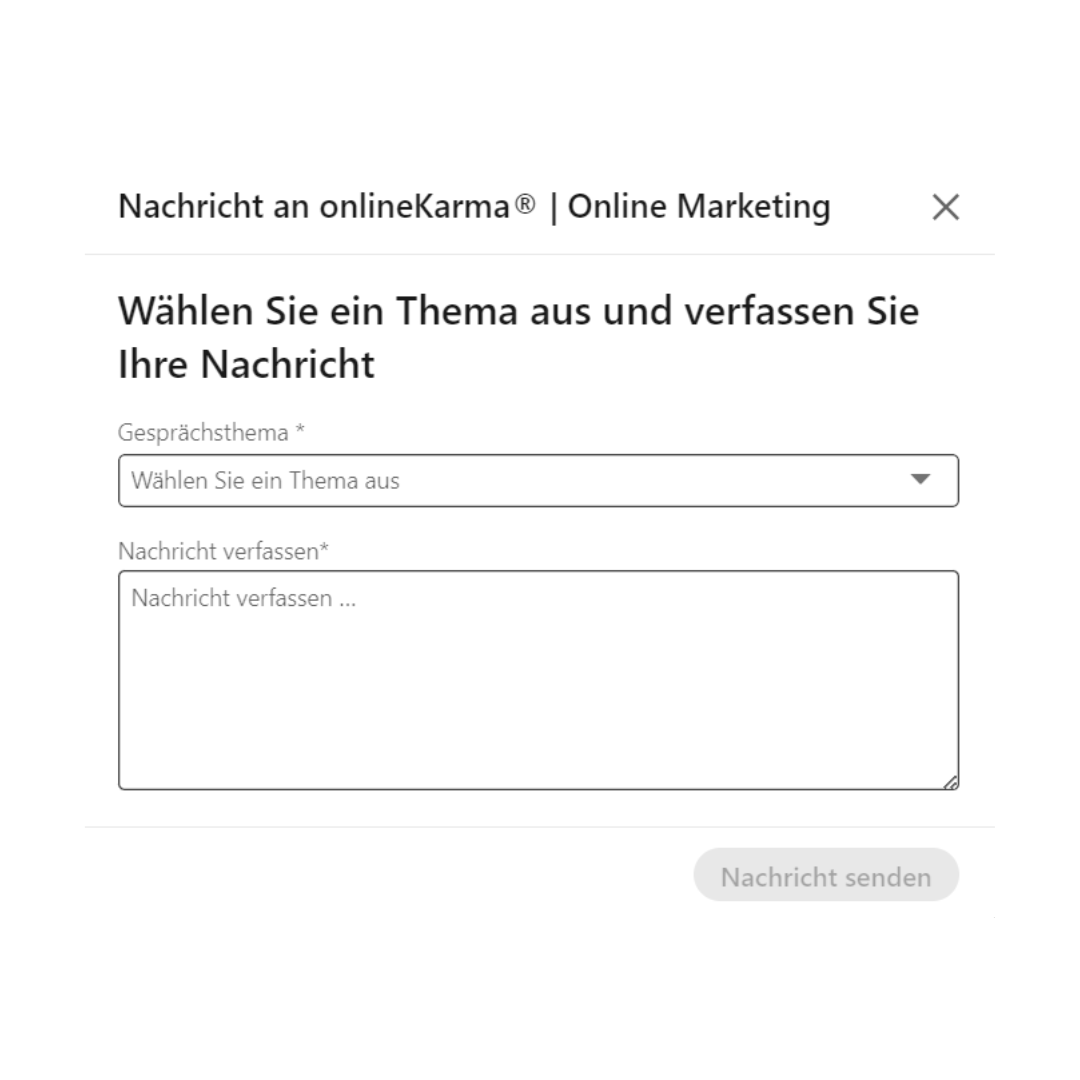
Members open the company page, click ” Message,” select a topic, and compose their message. If the button is missing, the feature may not be enabled or may not be available for that page. According to LinkedIn, messages can sometimes be sent directly from search results.
Admins do not respond as private individuals, but on behalf of the business page. Other roles cannot reply to the page’s messages without the appropriate permissions.
Best Practices for LinkedIn Messages
- Clarify roles: Assign qualified experts as super admins or content admins to ensure that inquiries are answered accurately and professionally.
- Speed is key: Respond as quickly as organizationally possible and communicate realistic response times.
- Choose relevant topics: Select topics that are relevant to your company and the interests of your target audience.
- Refine topics: If necessary, edit the conversation topic of a message and use the filters in your inbox.
Important: A business page can generally only message a member after the member has sent a message to the page first.
LinkedIn also advises against sending sensitive or confidential information in messages. Depending on the integration used, third-party providers may process copies of messages and associated profile data.