
[Article updated on August 8, 2024.]
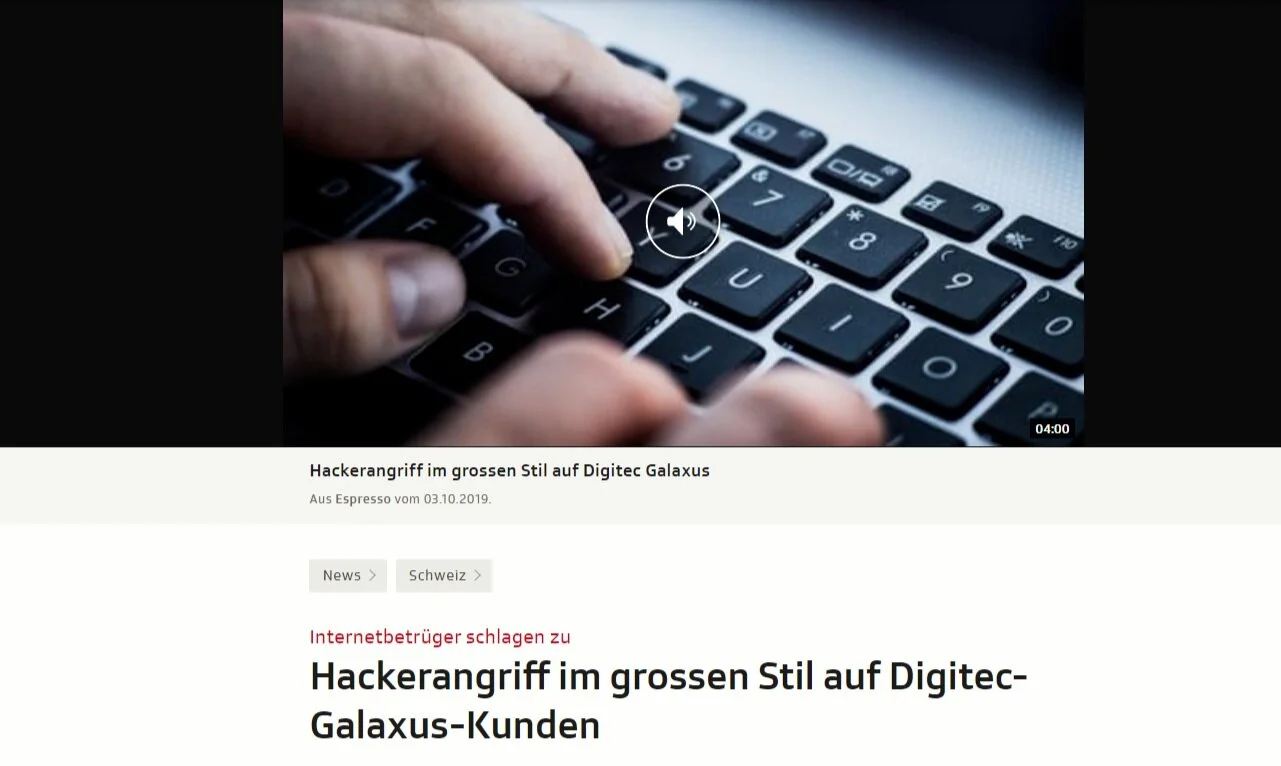
Even major players like Facebook, Yahoo, and Digitec Galaxus have been targeted by hackers. However, the focus right now is primarily on small and medium-sized businesses (SMEs). That’s where most cyberattacks in Switzerland are currently taking place. There are a few simple but important steps you can take to protect yourself and your organization:
1 – Always Up to Date: The Key to Maximum Security
Keeping your devices and software up to date is one of the most fundamental and important steps you can take to improve your online security.
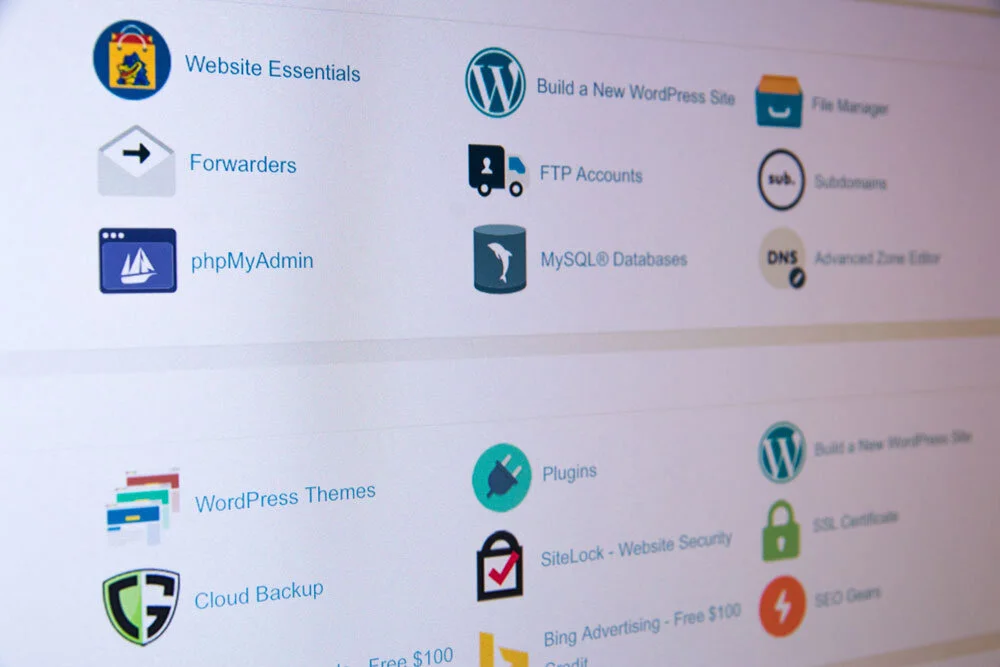
Be sure to regularly update all software —no matter how small—as well as any scripts and plugins you use anywhere on your website .
Be sure to also update the operating system on your device (Microsoft, Apple, etc.) and your web browser (Chrome, Opera, Safari, etc.).
Open-source versions are publicly available, and hackers can use their source code to discover potential vulnerabilities.
2 – Encrypt or Lose It: Why HTTPS/SSL Is Indispensable

Websites, emails, and the like should always be encrypted using HTTPS/SSL. If your website isn’t already using HTTPS, it’s high time you did so (this is also a requirement under the GDPR, by the way).
Websites that still use HTTP (Hypertext Transfer Protocol)—the standard protocol for transferring data between your server and the user’s browser—are vulnerable to hacker attacks (latest news on hacker attacks).
HTTPS/SSL encryption is particularly important for e-commerce websites and any sites that use forms containing sensitive user data or personally identifiable information (PII) .
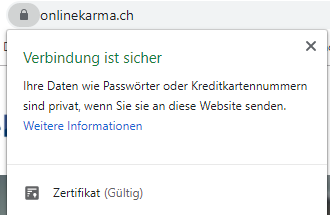
A website encrypted with HTTPS/SSL appears in the browser as, for example, www.onlinekarma.ch:
3 – Risks from Extensions: Beware of Malicious Plugins
Modern browsers, devices, and CMS (content management systems) offer a sheer endless array of extension options, plugins, and add-ons.
When doing this, make sure that the extensions:
- come from legitimate sources,
- be updated regularly,
- have already been downloaded a large number of times
- and there are enough positive reviews.
Be wary of free versions of premium plugins: These are usually pirated and infected with malware.
Any software can be compromised, and unfortunately, your website’s software is no exception.
4 – Only the Original Matters: The Value of Trust in Software
Use only genuine software from a well-known and trusted provider.
The same principle applies to emails, text messages, and WhatsApp messages containing links and attachments that seem suspicious. Only open files and links from senders you can trust 100 percent.
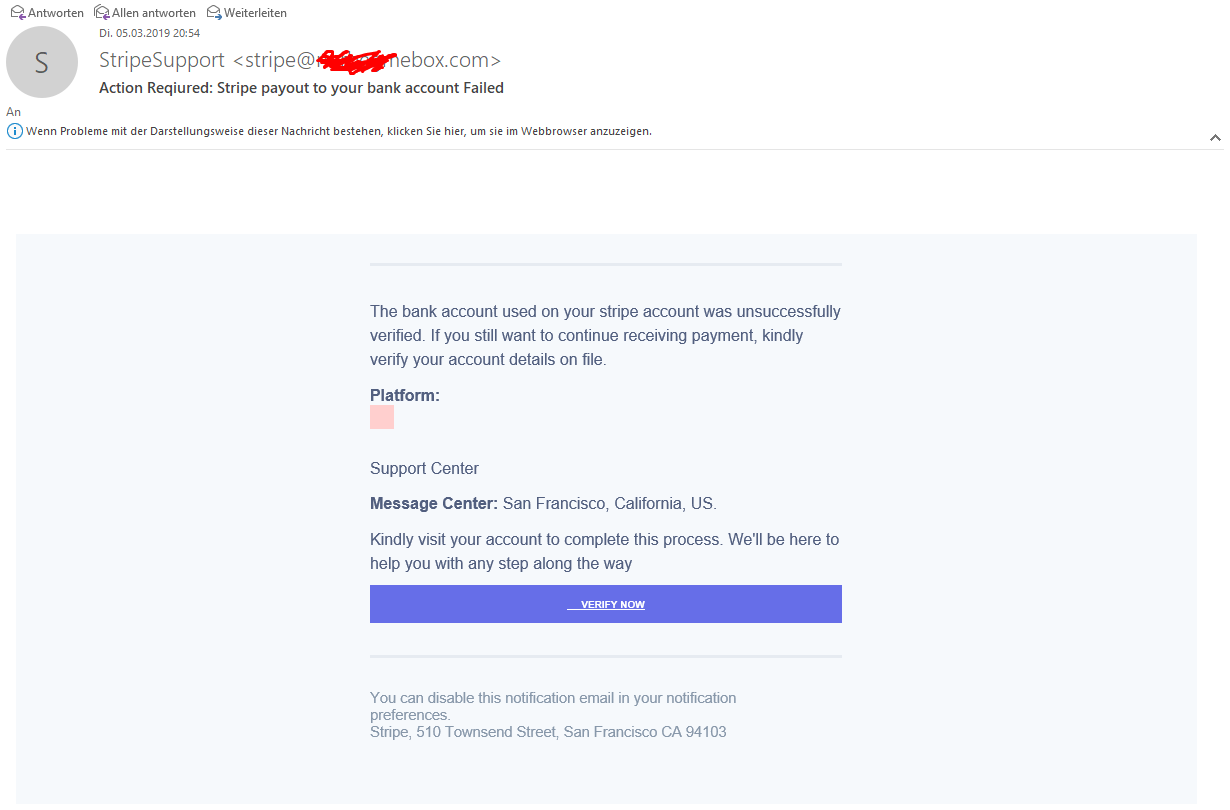
Warning: Emails may look very legitimate, but they aren’t necessarily so. The sender’s address can be spoofed—also known as“phishing.” Here are two examples:
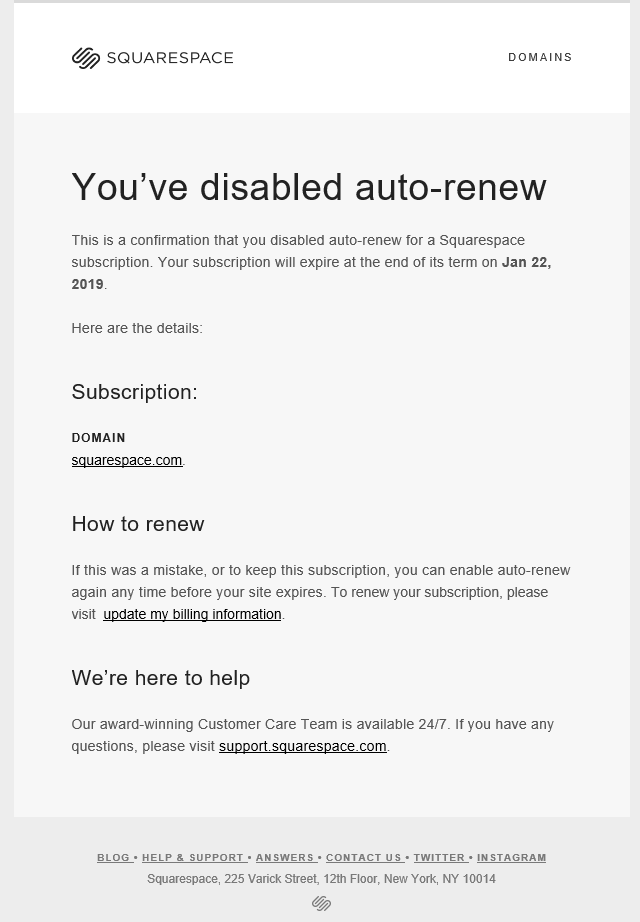
Report phishing emails with a single click here on Switzerland’s official anti-phishing website.
👉 Tips on how to spot phishing emails (in English)
We’ve noticed a sharp increase in fraudulent direct messages sent to company pages on social media.
Stay vigilant and keep the following points in mind:
- Social media platforms will not contact you via direct message if there are any issues. Therefore, do not click on any links or attachments in such direct messages from people claiming to be representatives of the respective platform.
- Report the messages as spam.
- Continue your successful community management and stay alert.
5 – Passwords of the Future: Your First Line of Defense

Of course, this point is a must. Strong passwords are the be-all and end-all of online security—both for your company and for you personally.
Password Tip 1
There is a simple formula that summarizes the three essential requirements for a secure password: CLU (Complex, Long, Unique).
- A password should be complex—that is, made up of random characters. No birthdates, no pet names, and no real words.
- Passwords should also be at least 20 characters long.
- And, of course, you shouldn’t use the same password in multiple places.
Password Tip 2
Now you’re probably thinking: How am I supposed to remember countless random 20-character passwords? That’s where tools like LastPass, a password manager that stores all your passwords in encrypted form and also generates random passwords for you.
Password Tip 3
Even the strongest passwords are useless if they aren’t used properly. So: Lock your cell phone, laptop, or computer when you’re not using it. And protect it with a password 😉.
Password Tip 4
Do not send passwords via email, and above all, never send a password together with the username and the purpose of use. By the way, https://pwpush.com/ is a handy tool for sending passwords.
6 – Protect Your Privacy: Avoid Public Networks
If you use confidential information while browsing the web—such as for online banking or shopping—you should do so on a device that belongs to you and on a network you trust.
Your data could be stolen while using a public, free Wi-Fi network, a coworker’s cell phone, or a publicly accessible computer.
You should also be careful about what personal information you share on social media . The “bad guys” could use this data to obtain valuable information about you.
7 – Strong Defense: Why You Can’t Do Without Antivirus Software
Protect yourself against viruses that weaken your computer and make it more vulnerable to attacks. Install an antivirus package.
Avira, for example, is free, but paid software will offer you more comprehensive protection.
8 – Less Is More: Limiting Access Rights
If multiple users can edit your website, you should ideally follow the principle of least privilege: Grant access only to the applications and resources that are essential for a user’s work and for which he or she is authorized.
In other words, if someone “only” writes blog posts on your website, they shouldn’t have permission to customize the design of the entire site.
Be especially careful with guest posts to ensure that new users are not granted more privileges than are strictly necessary.
9 – Secure Hosting Provider, Secure Operations: What Matters Most
Price should not be the deciding factor in choosing a web host; rather, security considerations should be the primary consideration.
Your trusted web host should have an SSL-secure server (required for HTTPS; see above), offer secure email support, have a secure data center, and perform regular backups .
If, like many smaller companies, you host your website on a shared hosting server, ask your provider about the security measures in place.
10 – Safe Browsing: Security Tools for Your Browser
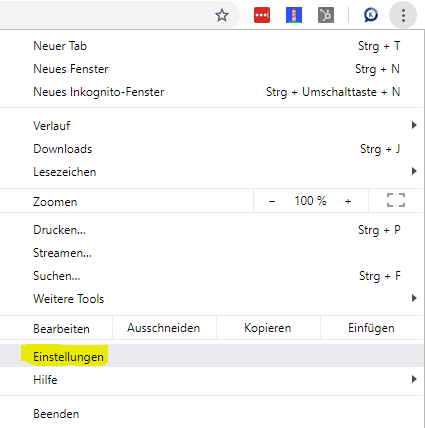
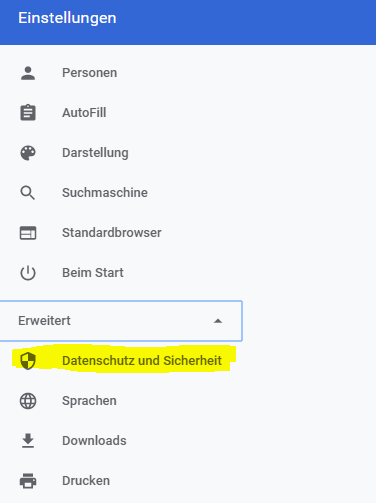
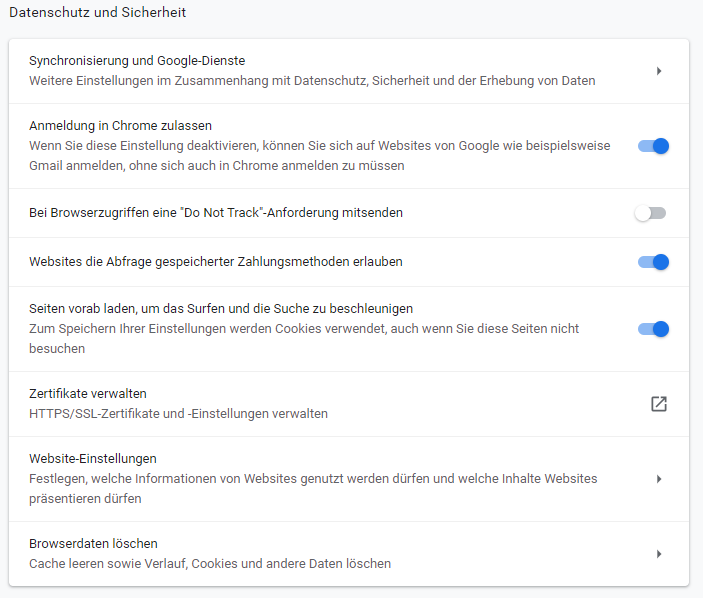
You can also protect yourself while browsing the Internet: with the security tool provided by your browser of choice.
These can, for example, block pop-ups, send “Do Not Track” requests to websites, disable insecure Flash content, restrict access to your webcam, and block potentially dangerous downloads.
You can find these security tools in your browser’s settings.
11 – Better Safe Than Sorry: Use Multi-Factor Authentication
In today’s digital world, a simple password is often no longer enough to protect our data. That’s where multi-factor authentication (MFA) comes in.
MFA provides an additional layer of security by requiring a second factor for verification, such as an SMS code or an authenticator app. This extra barrier can be crucial in preventing unauthorized access to sensitive information.
Companies should implement MFA wherever possible to strengthen their security strategy and effectively protect themselves against cyberattacks.
12 – Don't Leave Anything to Chance: Perform Regular Backups
Data loss can be caused by cyberattacks as well as hardware failures or human error. Regular backups are a simple yet effective safeguard to ensure that important information is not lost permanently.
Companies should develop a backup plan that includes both automatic and manual backups. These should be stored securely on external drives or in the cloud to ensure a quick and complete data recovery process in the event of an emergency.
13 – Knowledge Is Power: Cybersecurity Training for Employees
People are often the weakest link in the security chain. Given this, regular employee training on topics such as phishing, password security, and safe online behavior is essential.
By raising their employees’ awareness of the risks and keeping them informed about current threats, companies can foster a culture of security that significantly reduces the risk of cyberattacks.
14 – Keep Your Private Life Private: Stay Safe Online on Your Own Networks
Using public Wi-Fi networks can pose a significant security risk, as data transmissions can easily be intercepted. Companies should encourage their employees to use only secure, private networks, especially when accessing sensitive company data.
In addition, security measures such as WPA3 encryption should be implemented in wireless networks to prevent unauthorized access and ensure the integrity of the transmitted data.
15 – Stay Informed: Rely on reputable sources
It is important to stay up to date on the latest security threats and measures. Websites such as the Cybersecurity & Infrastructure Security Agency (CISA) offer comprehensive information and guidelines that can help improve a company’s security strategy.
Regularly consulting such reliable sources can help identify best practices and detect emerging threats in a timely manner.
16 – Leave No Gaps: Security Checks Are a Must
Regular security audits are crucial for identifying and addressing vulnerabilities in the system before they can be exploited. A thorough audit should cover all aspects of the IT infrastructure, from network security to software applications.
Companies should consider engaging specialized service providers to conduct independent audits that help address security vulnerabilities and optimize their overall security strategy.
17 – Always Connected, Always Protected: VPN for Greater Security
For employees who work on the go or from home, using a VPN (Virtual Private Network) is essential. A VPN encrypts the Internet connection, thereby protecting against unauthorized access to confidential information. (VPN Review: A Comparison of the Best VPN Providers)
By using a VPN, companies can ensure that their data remains secure even when employees are away from the office and that their privacy is protected.
Bonus Tip – ICT Security
We are happy to recommend Sowacom’s security solution. From cyber protection to data security to cyber insurance , this ICT partner can provide you with expert assistance. Learn more here about their cybersecurity offerings for small and medium-sized businesses.
Cybersecurity Summary
Those were the 10 tips to help you ensure greater security for yourself and your website. Of course, there’s no guarantee that your website will never be attacked or hacked, even if you follow all of these tips.
However, this should protect you against the majority of automated attacks and, at the very least, drastically reduce the overall risk.