Even the best app is useless if no one can find it. Apple Ads bring your app directly to potential users in the App Store. Find out now how you can increase your download numbers with Apple Ads
What are Apple Ads?
With Apple Search Ads, a paid advertising platform, app providers can promote their apps directly in search results. Sponsored apps are displayed at the top of search results and are labeled as ads.
However, this label doesn’t stop users from actually downloading the app. On the contrary: Apple Ads have conversion rates of about 60%!
Apple Search Ads are now Apple Ads
In April 2025, Apple decided to offer its advertisers even more opportunities to highlight their apps in its own App Store.
Until now, sponsored apps were only displayed at the top of search results. Now, there are additional locations in the App Store where ads are shown, such as on product pages and even the home screen.
Consequently, ads in the Apple App Store will no longer be called Apple Search Ads, but simply Apple Ads.
How does Apple Advertising work?
Apple Ads is a form of paid advertising. Just like with search engine advertising, Apple Ads allows you to bid on relevant keywords to appear in search results for those terms.
However, you only pay for this advertising when a user clicks on your ad or installs your app. This is referred to as cost-per-click (CPC), cost-per-tap (CPT), or cost-per-install (CPI) .
In addition, you have two options for running App Store Ads. There is a Basic version and an Advanced version.
Apple Ads Basic vs. Advanced: What's the Difference?
As the names suggest, the Advanced version of Apple Ads offers more features than the Basic version.
Let’s take a look together at the possibilities and differences between the two options to find out which one is more profitable for you:
The Basic Version: Automated and User-Friendly
The Basic version of Apple Ads offers fewer configuration options but is easier to use.
Here’s how Apple Ads Basic works:
- Preselected Keywords: Is “keyword research ” a foreign concept to you? No problem! In the Basic version of Apple Ads, keywords relevant to your app are automatically selected. When a user searches for these keywords, your app will automatically appear.
- Automated Optimizations: Even in the Basic version, your campaign is optimized automatically. Apple’s artificial intelligence automatically analyzes your campaign’s results and makes automatic optimizations.
- Cost-per-Install (CPI) as a pricing model: In the Basic version, you only pay for ads that result in a download. You remain in control and can set a maximum amount you’re willing to pay.
Who is the Basic version best suited for?: Small businesses that aren’t very familiar with Apple Ads and paid advertising and don’t want to spend a lot of time on it.
The Advanced Version: FlexibleSettings for Ad Optimization
The Advanced version of Apple Ads offers you more creative freedom and flexibility, but it also requires a bit more time and expertise.
Here’s how Apple Ads Advanced works:
- In-house keyword management: If you have experience with search engine marketing and keyword research, you might want to decide for yourself which keywords should be used to find your apps. That’s exactly what the Advanced version lets you do!
- Defining Your Target Audience: Avoid wasting reach by precisely defining your target audience. With the Advanced version of App Store Ads, you can specify your target audience’s gender, age, location, and other demographic characteristics.
- Placement Control: Apple offers four different placement options for ads in the App Store. Decide where you want to be found, and display your ads in multiple locations at the same time if needed.
- More In-Depth Reports: In addition, the Advanced version offers you more comprehensive reports that allow you to analyze your analyze and optimize it on your own. These include impressions, clicks, and conversions.
Who is the Advanced version suitable for?: Larger companies with marketing teams and app developers who want full control over their marketing campaigns.
Where are ads displayed in the Apple App Store?
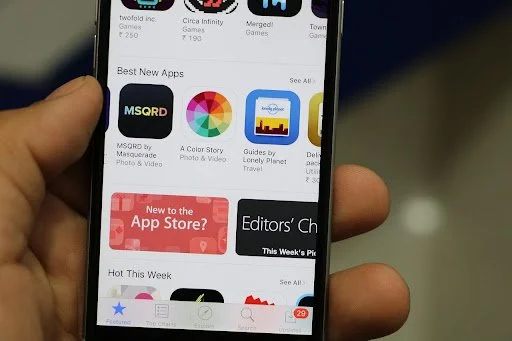
With Apple Ads, you can display ads in the App Store in various locations:
- Search Results: With Apple Search Ads, you can bid on keywords to appear at the top of the App Store’s search results.
- Search: By using ads on the search results page, you can draw attention to your app even before the user types anything into the search bar. This ensures that your app is among the first ones the user sees, allowing you to proactively prevent the user from choosing a competitor.
- Home Screen: The Apple App Store’s home screen—the “Today” tab—displays apps and offers that change daily. It also features “Apps of the Day” and “Games of the Day.” This is the perfect place to promote your app and boost download numbers.
- Product Pages: Last but not least, you can also place ads on product pages. When a user views a product page and scrolls all the way to the bottom, recommendations for other apps that the user might also like appear. While an ad in this spot isn’t seen by quite as many people, it could increase conversion rates, since the ad is shown only to users who are already interested in similar apps and are actively searching for them.
Pros and Cons of App Store Advertising
As you can see, Apple Ads are a great way to run ads directly in the App Store. But what exactly are the pros and cons of Apple Ads?
Benefits of Apple Ads
- Wide Reach: When you run ads in the Apple App Store, you can be sure that many users will see your ads. According to Apple, 650 million people visit the App Store every week.
- Targeted Advertising: Apple Ads are shown to users who are actively interested in apps like yours. This allows you to reach your target audience directly and avoid wasting ad spend on irrelevant audiences.
- High conversion rates: According to Apple, Apple Search Ads achieve conversion rates of over 60%. This is significantly higher than on other advertising platforms.
- Performance-Based Costs: One of the major advantages of Apple Ads is that you only pay for ads that generate a response. You don’t pay a cent for ads that don’t generate a response!
- Flexible Pricing Models: Apple also offers a flexible pricing model. You decide how much you want to spend on your ads and can adjust your budget at any time.
- API Integration: If you decide to run ads in the Apple App Store, you can connect your account to the Apple Analytics tool to analyze and optimize your campaigns.
Disadvantages of Apple Ads
- Less creative freedom: Compared to Meta Ads or Google Ads, Apple Ads offer less creative freedom. Apple Ads automatically access your app’s metadata and use it to create ads that include your app’s title, subtitle, and logo.
- Less detailed reports: Apple’s reports are also not quite as detailed as those from Google or Meta, which makes it harder to optimize a campaign.
- Limited to the Apple App Store: This point is obvious. If you run Apple App Store ads, they will, of course, only be visible in the App Store.
How can I create Apple Ads?
Want to launch your first Apple Search campaign? Just follow this step-by-step guide:
- To run ads in the Apple App Store, you must first create a user account. To do so, simply click on this link.
- Next, you can select the region where you want your ad to appear. For example, click here to select “Switzerland.”
- Now it’s time to start creating the campaign. To do so, choose whether you want to use the Basic or Advanced version.
- To avoid unexpected expenses, you can set your budget in the next step. To do this, you can select a daily maximum amount, and in the Advanced version, you can also specify how much you’re willing to pay per click.
- In the Advanced version, you can also narrow down the target audience—for example, by age, device usage, gender, etc.
- If you’ve chosen the Advanced version, you can also enter keywords you want your app to be found for. In the Basic version, however, the keywords are determined automatically.
- Finally, simply review the ad’s title and description—which Apple automatically generates from your app’s metadata—and edit the text as needed.
- Click “Start” to activate your campaign. Done!
More tips for getting the most out of your Apple Ads campaign

However, a good Apple Ads campaign goes far beyond simply creating the ads. To achieve the best results, keep the following tips in mind:
- Define your most important KPIs: To get the most out of your Apple Ads campaign, you should first define your most important KPIs (Key Performance Indicators) so you don’t lose sight of your goal. In most cases, the most important KPI in the Apple App Store is the installation rate.
- Define your target audience: By defining your target audience, you ensure that your app is shown only to users who might actually be interested in it. This is a simple way to avoid wasted reach and increase your conversion rates. With Apple Ads Advanced, you can specify which users should see your ad.
- Analyze your campaigns: Use performance reports to analyze your campaigns and track impressions, clicks, and installation rates.
- Keep an eye on your spending: If your app is frequently discovered through Apple Ads, costs can quickly add up. So always keep an eye on your spending.
- Adjust your bids: Remember that you can change your budget at any time. If you notice that your app isn’t being found for the keywords you want, it might be worth increasing your bid. On the other hand, if you’re getting a lot of installs from ads and your spending is skyrocketing, you can also lower your maximum bid at any time.
- Test different ad placements: Apple Ads offers four options for placing your ads in different locations throughout the App Store. Take advantage of this feature and test which placement is most profitable for you!
Frequently Asked Questions
How much does advertising in the Apple App Store cost?
The cost per tap (CPT) in Switzerland is approximately 80 rappen, whereas the cost per acquisition is approximately 1.80 CHF. Also note that in the Basic version, there is a minimum amount of 5 USD per month and a maximum amount of 10,000 USD per app.
What are CPT and CPA?
CPT stands for Cost-per-Tap and is the mobile equivalent of Cost-per-Click (CPC). This means that you only pay for your ad when it is clicked or tapped. The term CPA (Cost-per-Acquisition), on the other hand, refers to the cost per action, such as per purchase or installation.
How well do Apple Search Ads perform?
According to Apple, Apple Search Ads have a conversion rate of over 60%. The company also states that 65% of all downloads occur immediately after a search. An ad in the search results can therefore significantly increase your installation rates.
Who is Apple Ads best suited for?
Apple Ads are ideal for all app developers who want more downloads and higher sales. Since Apple’s App Store generates significantly more revenue than the Google Play Store, you can effectively promote your app in the App Store and increase revenue over the long term.
Is App Store advertising compliant with data protection regulations?
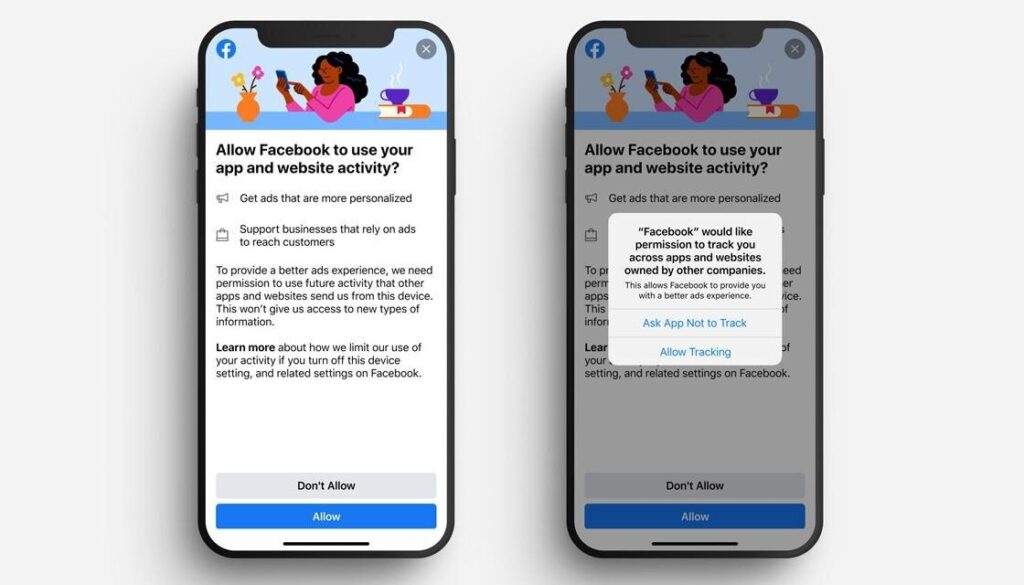
Yes, Apple Advertising complies with data protection regulations because the company does not store any personal data. To comply with comply with European and Swiss data protection laws , users can also choose for themselves whether or not they want to receive personalized ads.
Conclusion: Is it worth advertising on the App Store?

Apple Advertising offers you a great way to better position your app in the App Store and increase its visibility.
Although the advertising platform requires a fee, the high conversion rates make it clear that running ads in the App Store is definitely worth it.
However, Apple Ads—just like other SEA platforms—are only profitable when used correctly. Apple Ads’ AI-powered automation features offer app developers a great way to achieve good results without much prior knowledge.
However, the Advanced version is required to achieve excellent results. This is the only way to fully analyze and optimize your campaign performance.