
Define a Google Ads Strategy
Whether you’re an established business or this is your first advertising campaign, the following tips will help you make your campaigns more successful.
It’s time to optimize your Google Ads.
Depending on your business model and industry, your Google Ads campaign will look very different.
We offer you 7 tips for achieving the highest possible ROAS (Return on Advertising Spend) from your Google Ads campaign.

🔎 1 – Organize your Google Ads account clearly and efficiently
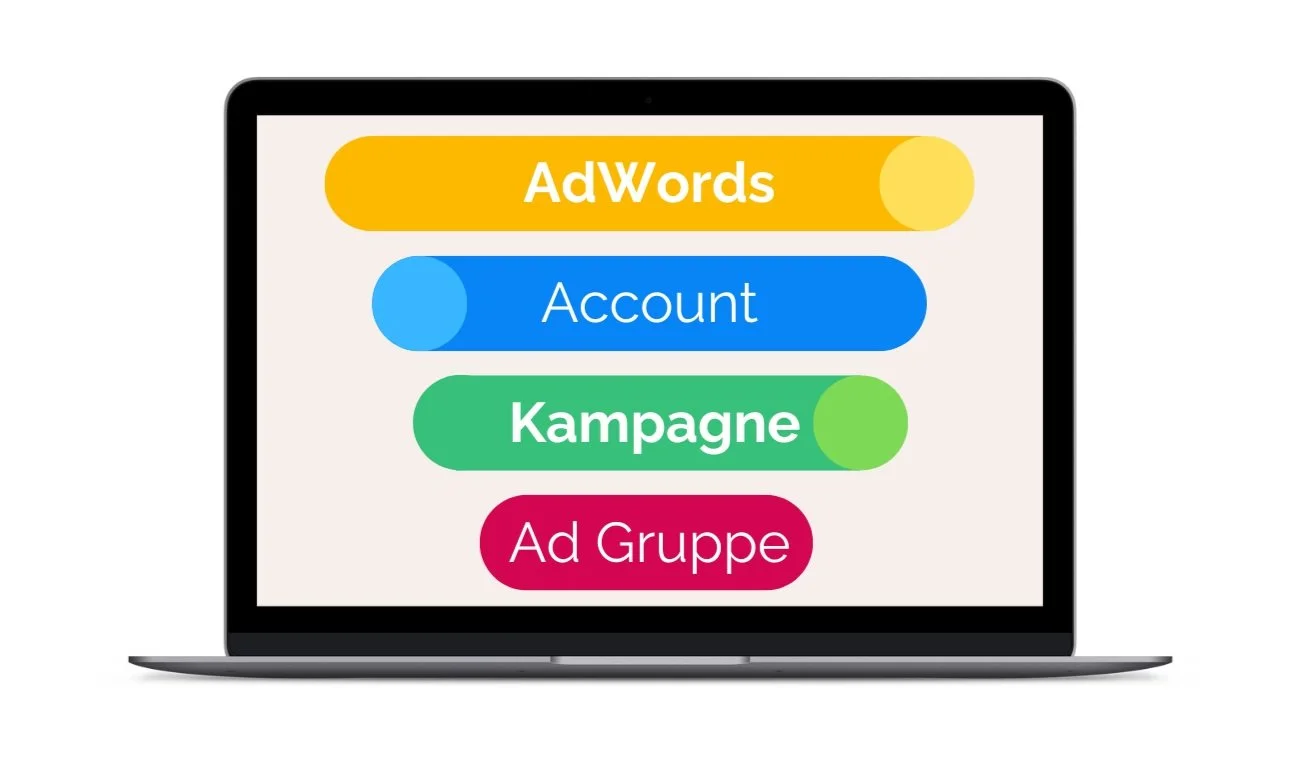
A well-designed account structure is crucial to the success of your campaigns.
Create separate campaigns for different products, regions, or target audiences, and organize your ads into specific ad groups.
This way, you can keep track of everything and make targeted adjustments to your budgets and bids.
Every online marketing agency always starts with a detailed overview of its account structure—and you should, too!
Source: Google Support
Within each Google Ads campaign, you can create different ad groups with relevant keywords and bids for each product and service. These groups should be organized by product. This allows you to increase or decrease your bids and budgets for each ad group.
Use the Google Keyword Planner tool to gather new keyword ideas!
🔎 2 – Choose the Right Network: Search Network vs. Display Network
Think about what you want to achieve here. Where should your ads be displayed?
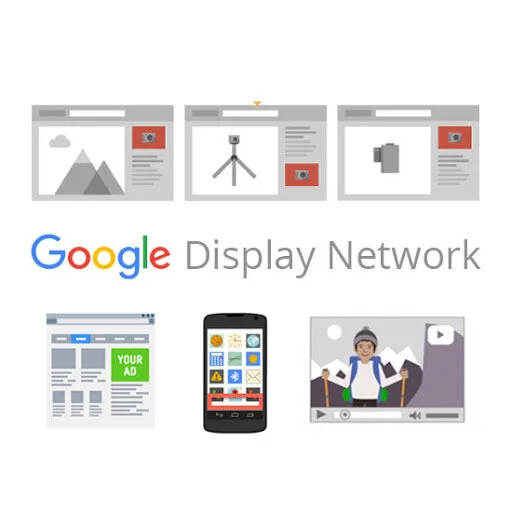
Google Search Network
The search network is an excellent way to reach people who are actively looking for specific products or services.
Your ads will appear when users search for your specific keywords or similar ones.
Google Display Network (GDN)
The Display Network, on the other hand, is ideal for branding and remarketing campaigns, since ads are shown on Google partner sites such as YouTube and Gmail.
In addition, display ads can also be shown on any other website that has Google AdSense installed.
Display ads are used primarily to promote brand awareness or run remarketing campaigns.
Performance Max
This campaign type runs across all Google channels (Search, Display, Shopping, YouTube, Gmail, Discover) and is based on machine learning.
Performance Max campaigns offer broad reach and focus on maximizing conversions. They are particularly well-suited if you want to run a unified campaign across multiple channels and rely on AI-powered optimization.
Source: Google Support

🔎 3 – Use the right bidding strategy based on your campaign goals
The bidding strategy you choose should support your specific campaign goals.
Google Ads offers a wide range of automated strategies that are optimized using machine learning:
- Target CPA (Cost Per Acquisition): Ideal if your main goal is to generate conversions cost-effectively.
- Target ROAS (Return on Advertising Spend): This strategy optimizes bids to achieve the desired percentage of revenue from your advertising spend—perfect for campaigns focused on maximizing revenue.
- Maximum conversions or maximum conversion value: Suitable if you want to achieve the maximum number of conversions or the highest conversion value within a fixed budget.
- Maximize Clicks: Use this strategy if your goal is to increase website visits and generate as many clicks as possible—for example, to boost website traffic.
- Maximize Impressions: This strategy is useful for brand awareness and reach. It allows you to generate as many views as possible and is particularly well-suited for campaigns focused on brand presence, such as by placing ads in prominent areas.
By choosing the right bidding strategy, you can efficiently tailor your campaigns to your specific goals and get the most out of your advertising budget.

🔎 4 – The Optimal Mix of Ad Headlines and Descriptions
A balanced mix of ad headlines and descriptions is crucial for effectively targeting your audience and improving performance.
With Responsive Search Ads, you can add up to 15 headlines and 4 descriptions, which Google dynamically combines to display the most relevant version.
Vary your wording to highlight different aspects of your offering and address different user needs.
Tip: Test new combinations regularly to achieve the best results and continuously optimize your campaigns, and don’t forget the call to action.
🔎 5 – Analyze and optimize your campaigns regularly
Ongoing optimization is the key to effective campaigns.
Review KPIs such as conversion values per cost, click-through rate (CTR), and cost.
Use conversion tracking and Google Analytics to gain deeper insights into user behavior and continuously optimize your campaigns.
Bonus Tip: Use negative keywords to avoid irrelevant clicks and boost your campaign’s efficiency.
🔎 6 – Set Up Conversion Tracking Correctly (or Have It Set Up)
Without conversion tracking, it’s virtually impossible to gauge the true success of your Google Ads campaigns and accurately measure your return on advertising spend (ROAS).
Conversion tracking shows you exactly which clicks lead to valuable actions—such as purchases, phone calls, or form submissions—and thus enables you to calculate your ROAS with precision.
These insights are crucial for optimizing campaigns in a targeted manner and continuously increasing the return on your advertising investment.
We’d be happy to help you with conversion tracking.
🔎 7 – Optimal Keyword Search Options: Focus Over Breadth
Careful keyword selection is important and can help avoid high costs.
Instead of using a wide range of keywords, it’s best to focus on 5–10 highly relevant keywords per ad group. This targeted selection allows you to tailor your ads to users who are specifically searching for what you offer.
Especially during the testing phase, many people tend to use too many keywords in an effort to try out as many variations as possible. However, this can quickly become costly and dilute performance.
Instead, it makes sense to start with a few well-chosen keywords and adjust your targeting later based on performance.
Tip: Use keyword match types such as “Exact Match” and “Phrase Match” to target your audience more specifically and avoid unnecessary clicks. This will help you increase the efficiency of your campaigns and optimize your ROAS.
In most cases, it’s best to include only very similar and related keywords in each ad group to ensure your ads are as targeted as possible.
As of 2024, there are generally three different keyword match types in Google Ads. This results in the following options:
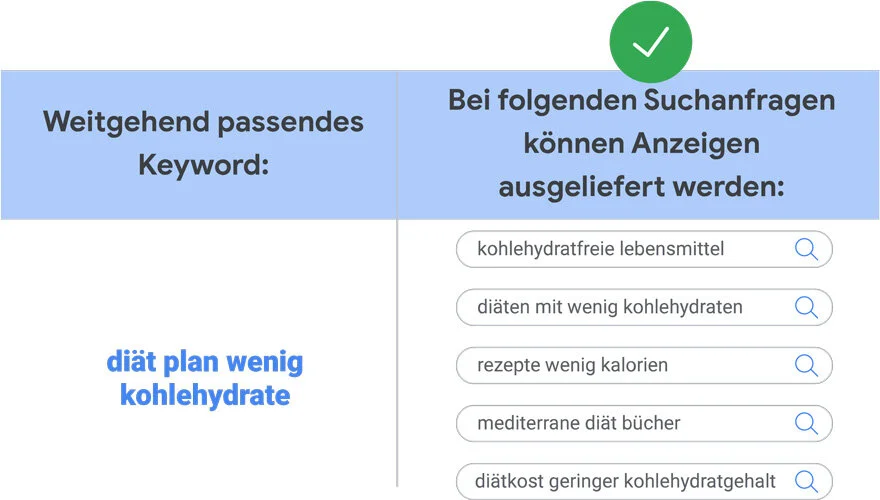
1. Broad Match / Broad Match
This is a very broad search term, which means your ads can be shown for any search queries related to your keyword. This also includes search queries that don’t contain your keywords at all.
Here’s an example:
Source: support.google.com
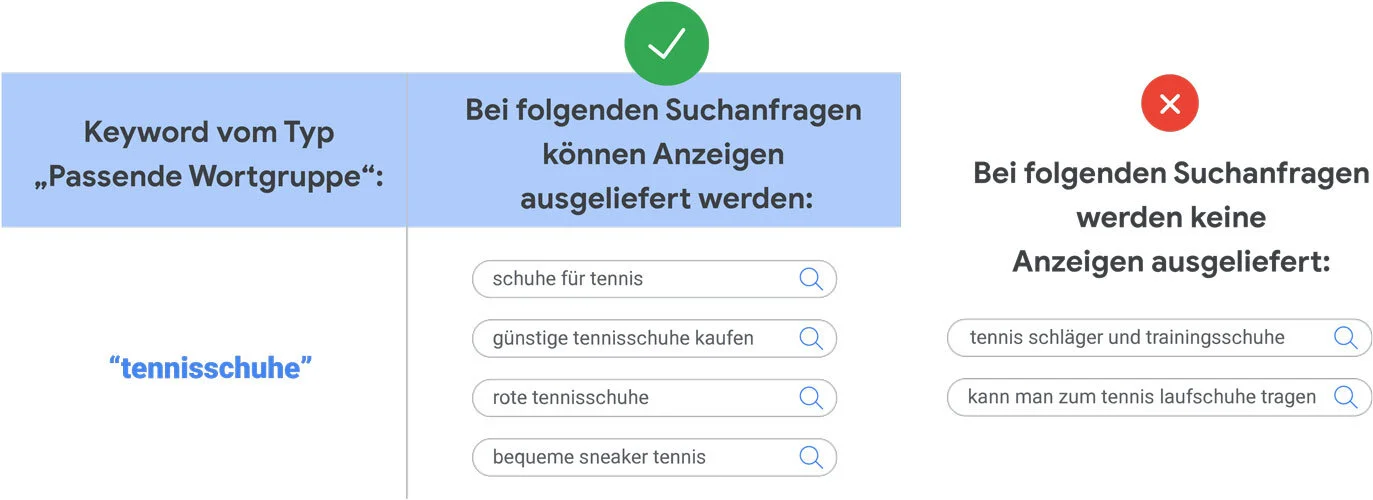
2. Phrase Match / Matching Phrase
This is a slightly more limited search. Your ads may appear in search results that include the meaning of your keyword.
It’s also possible that the search queries have a more specific meaning and that the meaning of the keyword is derived from them.
Source: support.google.com
3. Exact Match
This is the most specific option for keywords. With this option, ads are served in response to search queries whose meaning or intent exactly matches your keyword.
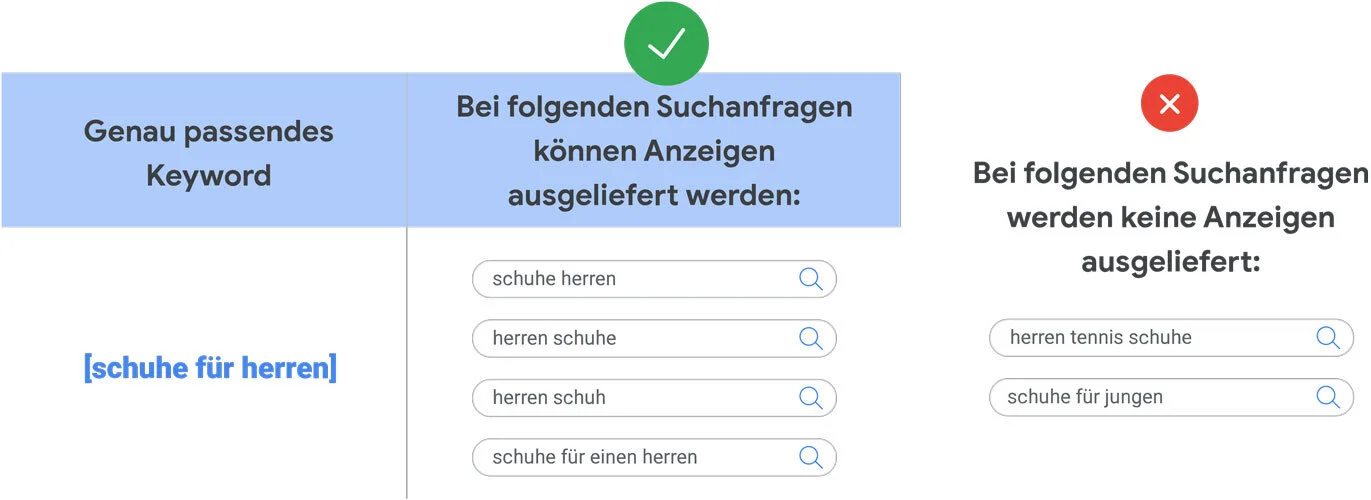
Source: support.google.com
Important: Negative Keywords
You can add negative keywords to your ad groups, campaigns, or negative keyword lists so that your ads do NOT appear for certain keywords. For example, if we don’t sell leather shoes, we might want to add “leather” to our negative keywords.
It’s better not to [buy leather shoes] if we want to keep “leather” as a potential keyword, in case someone searches for “don’t buy leather shoes,” for example.