
Community management for a social media account is an essential part of the overall social media presence of a company. By regularly engaging with posts and other accounts, you can strengthen your brand image, increase your visibility, build an engaged community, and positively influence the algorithm.
In this post, you’ll find detailed instructions on how to repost, like, comment on, share, and save posts. This information is specifically for the platforms Instagram, Facebook and TikTok compiled.
1. Repost
By reposting content, you can share posts from other pages with your followers while also increasing the reach of the original profile. According to Liadeli et al. (2023), content with high engagement is favored by the algorithm and thus achieves a greater reach. Therefore, it is beneficial for a business profile when other people repost its posts.
Here’s how it works:
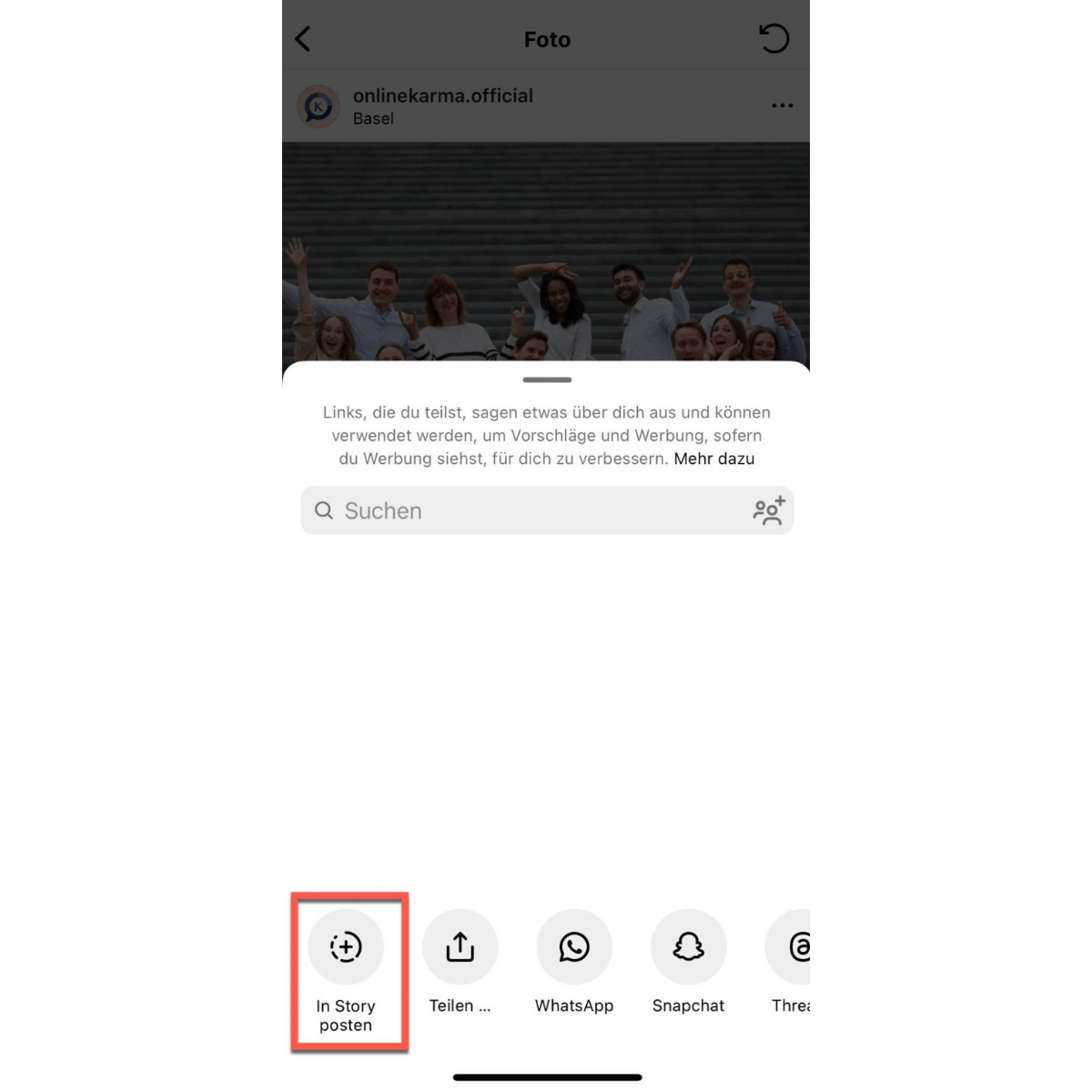
On Instagram, you can only repost Stories or posts in your Story where you’ve been tagged.
-
Tap the paper airplane icon below the post or tap “Share” in the Story.
-
Select “Add a post to your Story.”
-
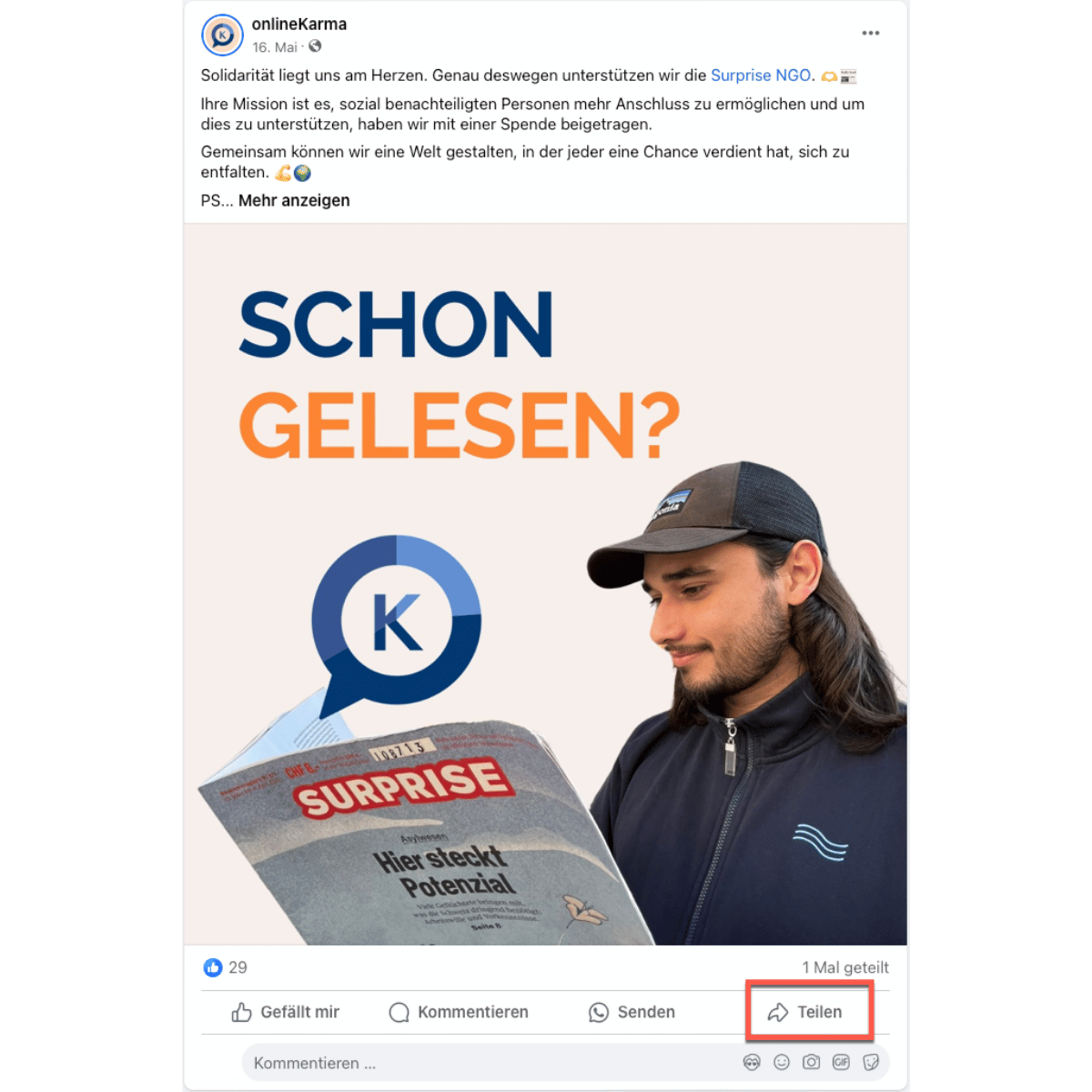
Navigate to the post you want to repost
-
Tap “Share” below the post
-
Select “Share Now” or “Share to Your Story.”
TikTok
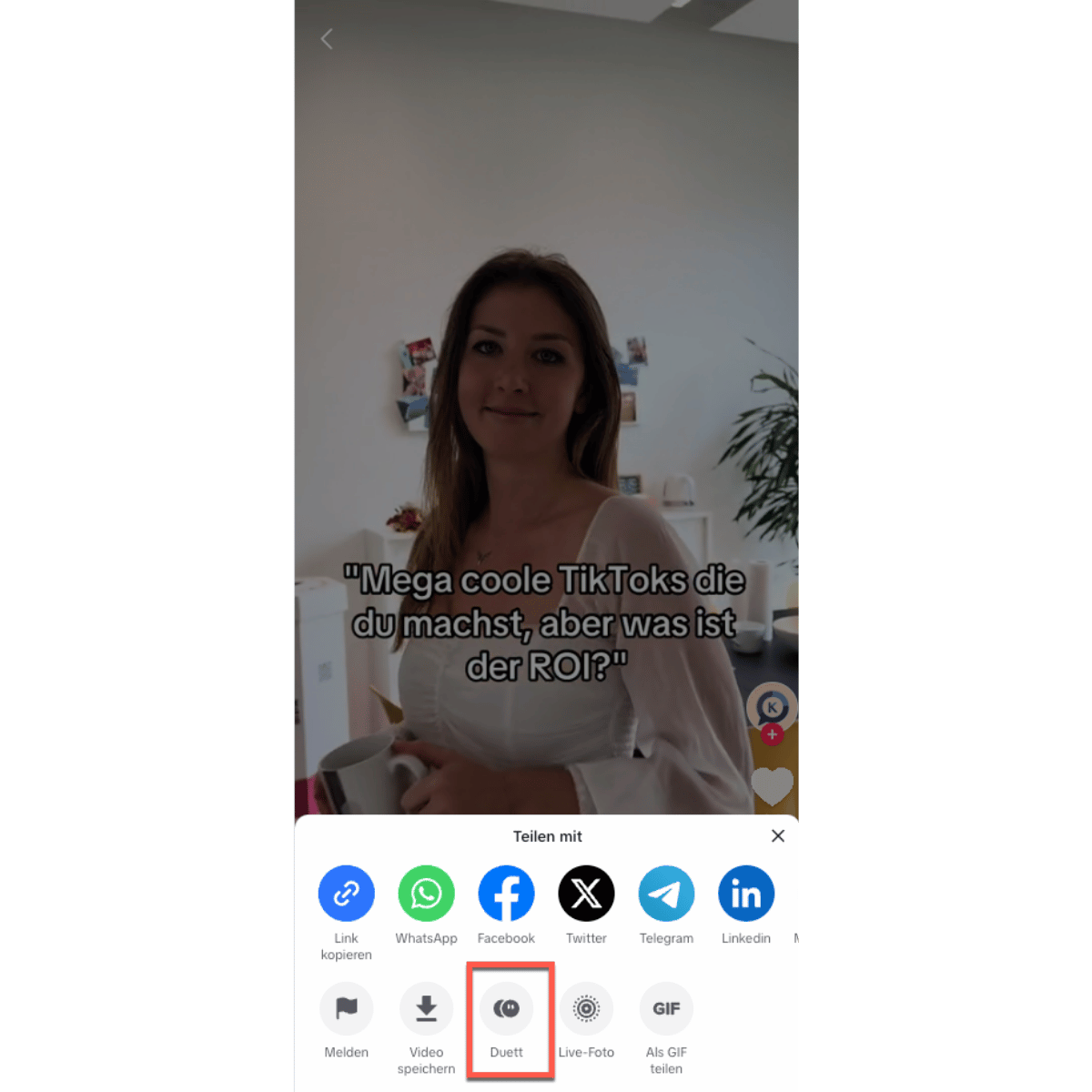
TikTok does not offer a direct repost feature. However, you can create a duet or reaction to a post. A duet on TikTok is a feature that allows users to record and post their own video alongside an existing video by another user. This feature is often used to creatively respond to, complement, or parody content.
-
Click the share icon in the video
-
Tap “Duet” or “Reaction”
-
The camera opens in Duet mode, with the original video displayed on the left. Record your video on the right.
2. Like
Likes are an important indicator of a post’s popularity. Algorithms on platforms such as Instagram, Facebook, and TikTok prioritize posts with many likes, which means these posts are displayed more frequently and thus achieve greater reach. Posts with high engagement rates—which include likes—appear more frequently in other users’ feeds (Ferreira, 2024).
Here’s how to like other posts:
-
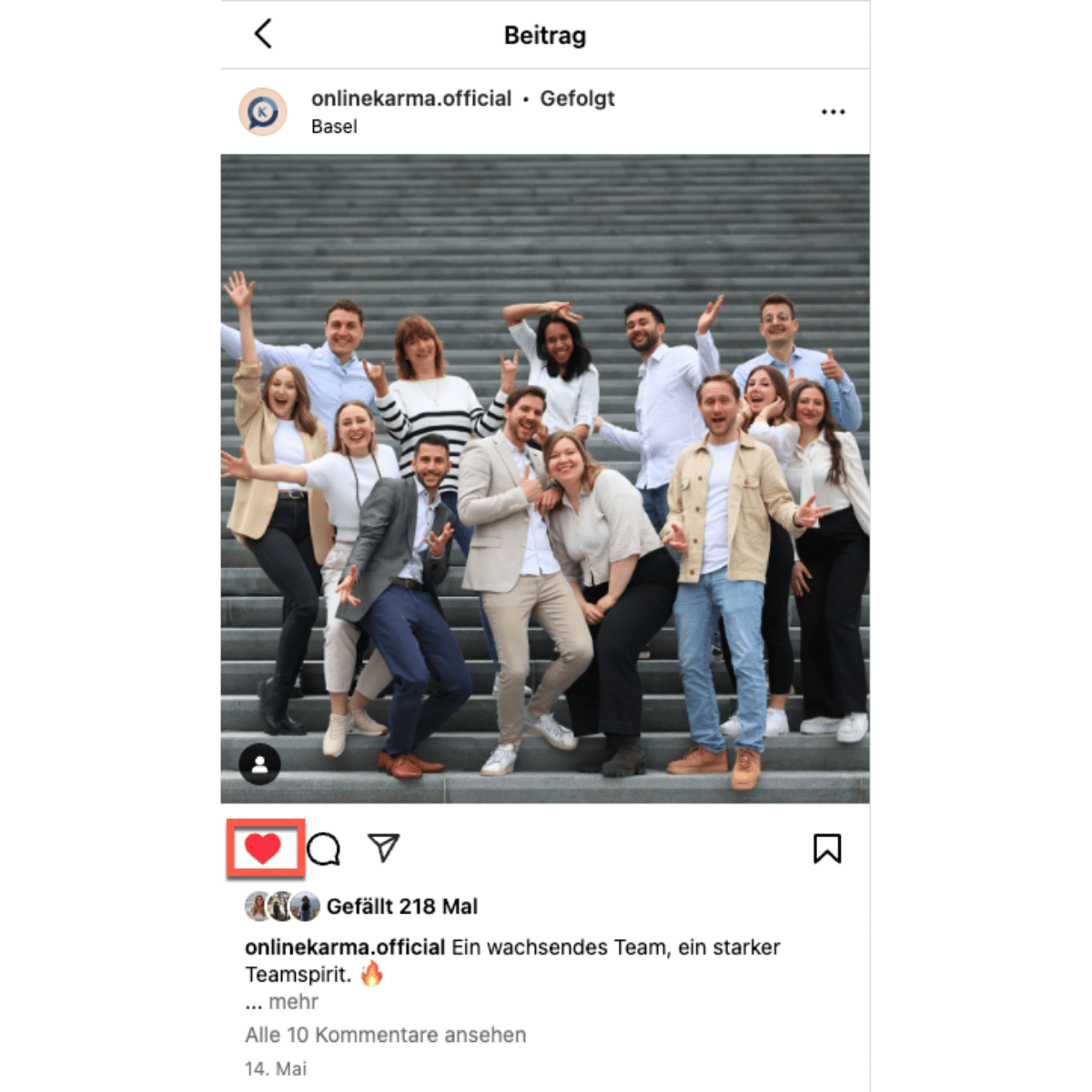
Go to the post.
-
Double-tap the picture or video you like, or tap the heart icon below the post.
-
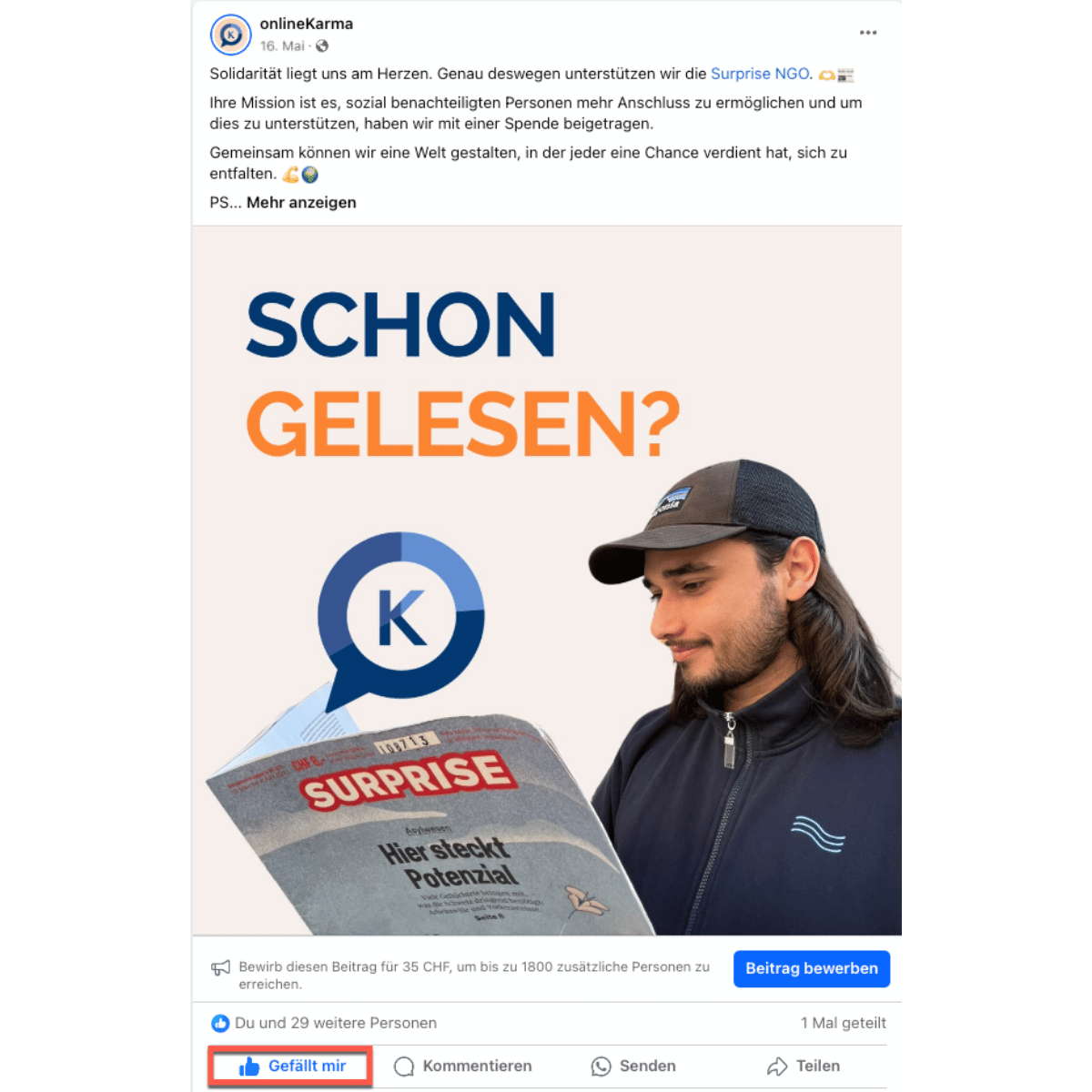
Go to the post.
-
Tap the thumbs-up icon below the post.
-
In addition to the “thumbs up,” you can also use other reactions such as “heart,” “laugh,” “surprise,” “sadness,” or “anger.” These expanded reactions offer a more nuanced way to respond to content and can strengthen the emotional connection to posts.
TikTok

-
Go to the post
-
Tap the heart icon on the right side of the video.
3. Comment
Comments are particularly valuable because they represent deeper interactions. Not only do they encourage discussion and engagement, but they also signal to the algorithm that the post is relevant and interesting. This results in the post being displayed more frequently. Statistics show that posts with many comments have higher visibility and, consequently, a greater reach (Newberry, 2024).
-
Thoughtful Comments: Write comments that are relevant to the content and encourage others to join the discussion.
-
Reply: Respond to other users’ comments to stimulate discussion and increase engagement.

-
Go to the post
-
Tap the speech bubble below the post, type your comment in the text field, and tap “Post.”
-
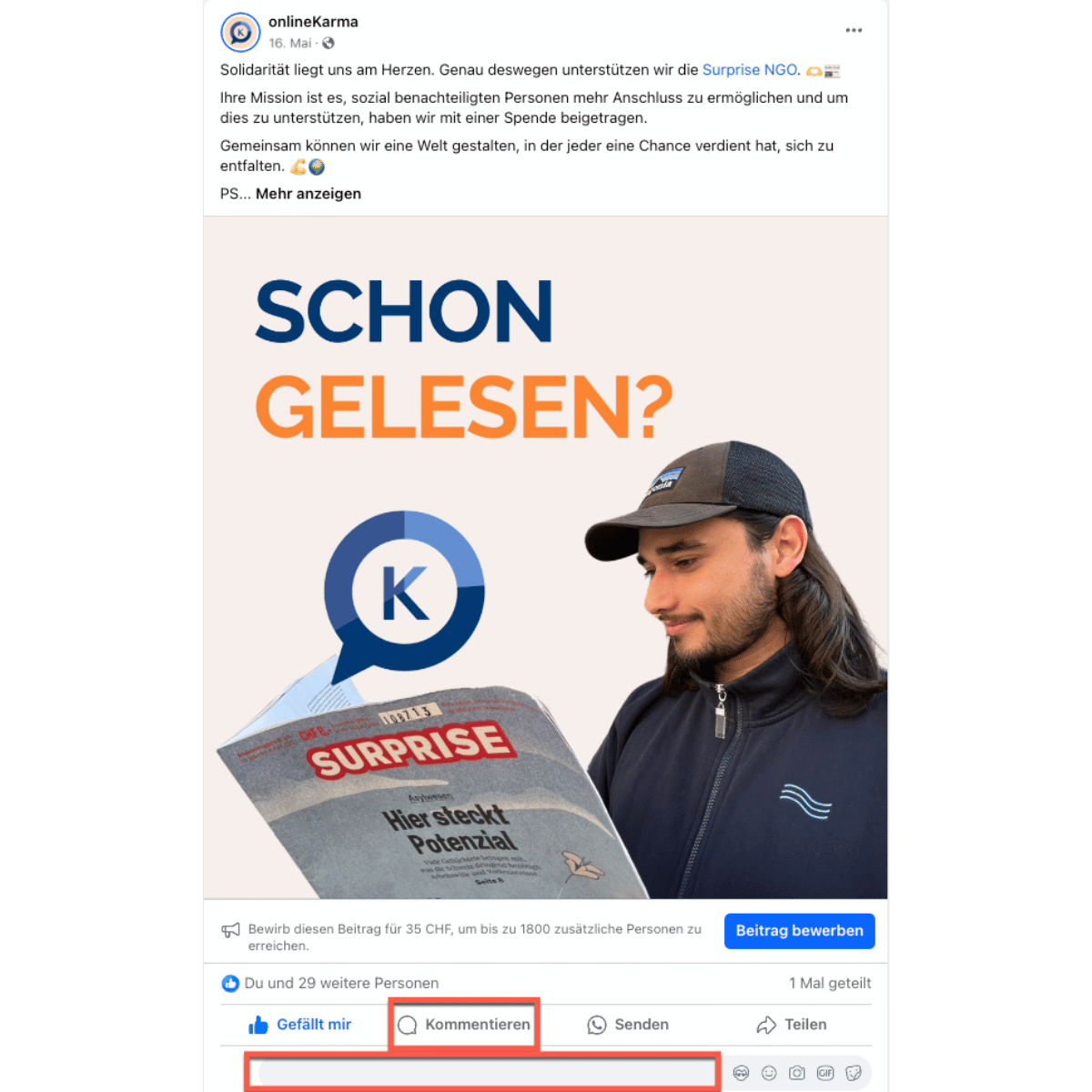
Go to the post
-
Tap “Comment,” type your comment in the text box, and tap “Post.”
TikTok

-
Go to the post
-
Tap the speech bubble icon on the right side of the video, write your comment, and tap “Post.”
4. Share
Sharing posts is another important way to increase a company’s reach and visibility on social media. It makes content accessible to a wider audience and boosts engagement.
-
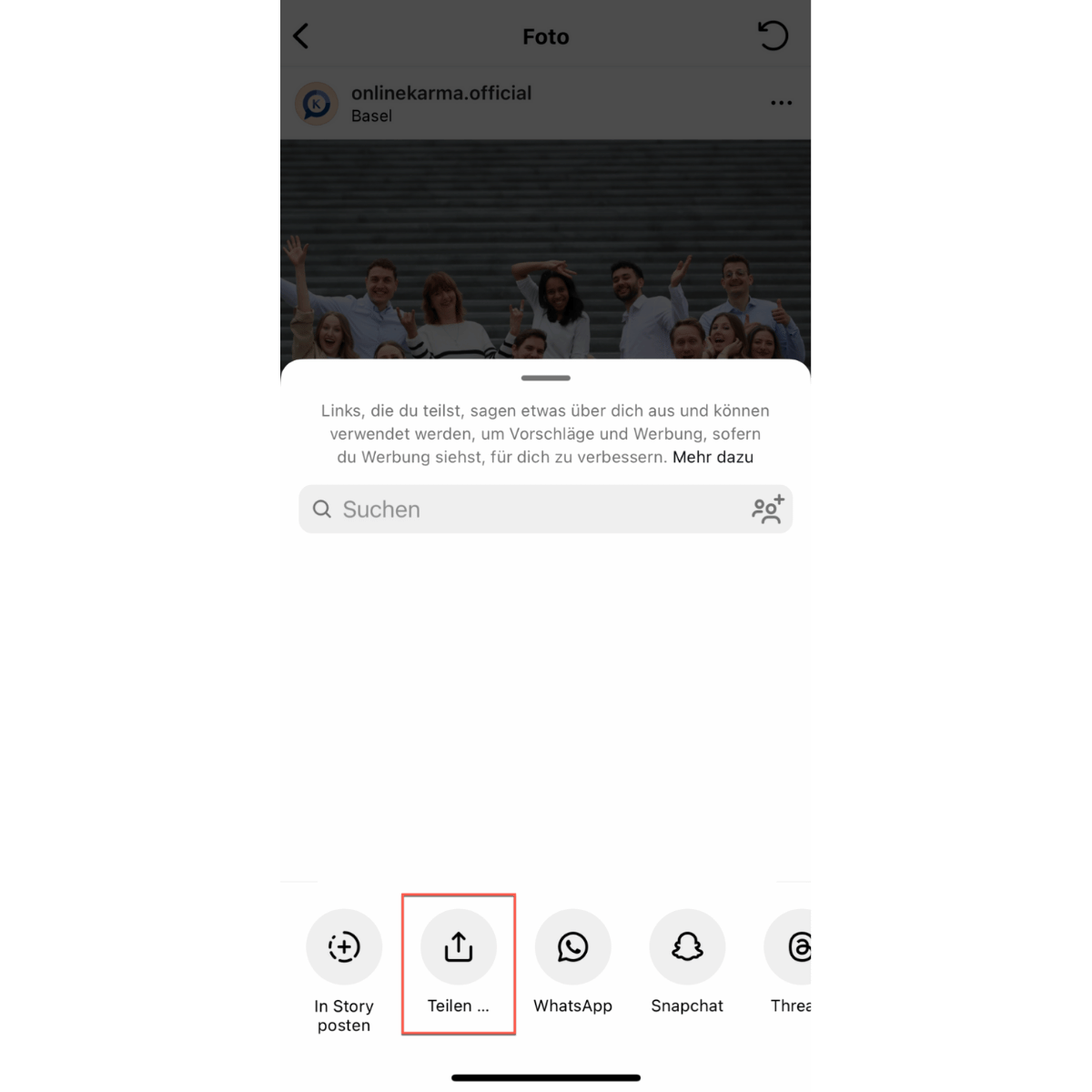
Click the “paper airplane” icon below the post and select “Share.”
-
Share posts directly with friends or in group chats to reach a specific audience.
-
Click “Share” below the post.
-
Share company posts in relevant Facebook groups or with friends to increase visibility and reach new audiences.
TikTok

5. Save post
Saving posts is a great way to save content for later and increase its visibility. Saved posts signal to the algorithms that the content is valuable and relevant.

-
Click the “Bookmark” icon below the post to save it. Tip: Organize saved posts into themed collections to keep a better overview and encourage usage.
-
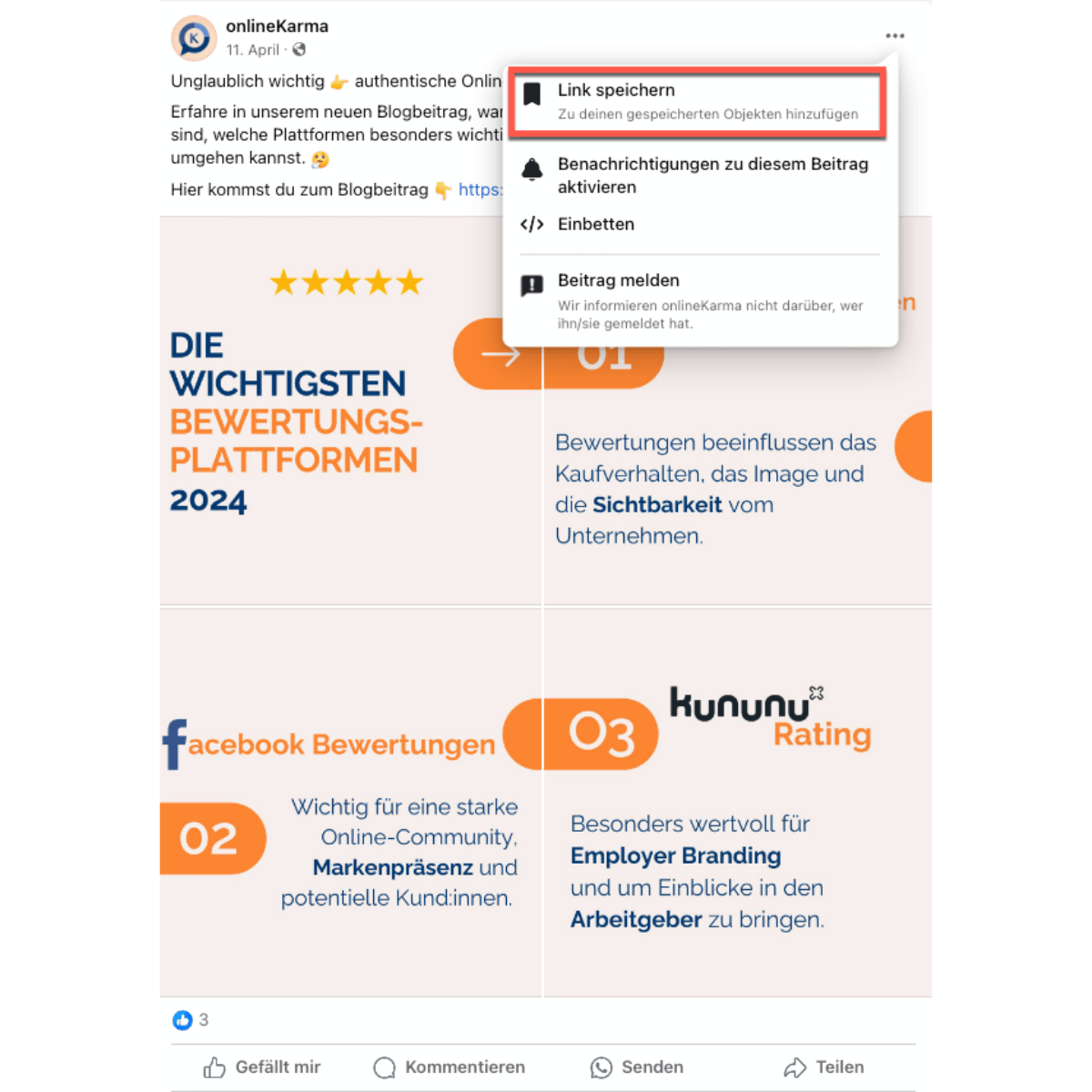
Save a post: Click the three dots in the upper-right corner of the post and select “Save Link.”
TikTok
-
Click the “Share” icon
-
Select “Save Video” to save the TikTok video to your device.
6. Conclusion
By sharing, commenting on, and liking content from other accounts on your personal profile, you can significantly help increase the company’s reach and visibility on social media. These actions boost engagement and help build an active and interested community.
Targetedly Increase Social Media Reach
Sources
-
Liadeli, G., Sotgiu, F., & Verlegh, P. W. J. (2023). A Meta-Analysis of the Effects of Brands’ Owned Social Media on Social Media Engagement and Sales. Journal of Marketing, 87(3), 406-427. https://doi.org/10.1177/00222429221123250
-
Social Media Engagement: 9 Ways to Strengthen Your Connection with Your Audience. (March 29, 2024). Oberlo. https://www.oberlo.com/blog/social-media-engagement
-
Newberry, C. (June 26, 2024). 17 Social Media Metrics You Need to Track in 2024 [BENCHMARKS]. Social Media Marketing & Management Dashboard. https://blog.hootsuite.com/social-media-metrics/